This article is for general information only. It has been checked against the sources listed below but has not been reviewed by a medical professional.
Choosing a baby tracking app is not only about which screens look easiest. The app may hold names, dates, routines, notes, photos or health-related information, so it is worth checking what the app needs, where information goes and what choices you keep.
This is a neutral, purpose-based checklist for comparing apps. A permission, account or cloud feature is not automatically good or bad: the useful question is whether it is needed for a feature you want, how it works and whether the trade-off is clear. This article is general information, not legal advice or a finding that any app complies with privacy law.
Why baby tracking information deserves a careful look
The Office of the Australian Information Commissioner (OAIC) explains that health information is personal information about a person’s health or disability. It can include appointment details, symptoms, diagnoses, test results and other health-related records. The OAIC also describes health information as sensitive information, which generally receives a higher level of privacy protection.
A baby tracker may contain a mixture of health information, everyday care notes and other personal information. Even when an entry feels ordinary in isolation, a detailed record can reveal a child’s routines and family circumstances. You do not need to assume the worst; you do need enough information to make a deliberate choice.
Privacy questions to ask before choosing an app
1. What do I actually want the app to do?
Start with purpose, not with a feature count. Do you want a simple feed and sleep log, a place for appointment notes, photo attachments, record sharing, or access across devices? Write down the few jobs that matter to you. This makes it easier to notice when an app asks for information or access that does not seem connected to your chosen features.
2. What information is optional, and what is required?
Check whether you can use a nickname instead of a full name, leave dates or profile fields blank, and add only the records you need. The OAIC’s collection guidance is a useful reason to ask why personal information is needed and what you are told when it is collected. An app should make the purpose of required information understandable.
3. Where is the information stored?
Look for a plain-English answer. Information might stay on one device, sync through a platform service, be stored in the developer’s backend, or use a combination. Each model has practical trade-offs:
- Local storage can limit routine transmission to a developer, but access may depend on that device and its backups.
- Cloud storage can support recovery, multi-device access or sharing, but adds an account, service provider and remote data flow to understand.
- A hybrid model may keep some records local while sending analytics, support information or selected content elsewhere.
Ask what leaves the device, for what purpose, and whether you can turn optional data flows off.
4. Is an account required?
An account can enable recovery, syncing or collaboration. It can also connect records to an email address, device identifier or account history. No-account designs may reduce some account-related collection but may offer different recovery and sharing options. Check whether the account is required, which identifiers it uses, and what happens when you close it.
5. What does the App Store privacy information say?
Apple’s App Store privacy information can show data types an app may collect and whether data may be linked to you or used to track you. Apple notes that this information is self-reported by the developer, so treat it as a useful starting point and read it alongside the app’s current privacy policy.
- Which data types are listed?
- Is any data shown as linked to you?
- Is any data shown as used to track you?
- Do the answers match the features and privacy policy?
6. Which device permissions are requested, and when?
Judge a permission in context. Photo access may support adding an attachment. Camera access may support scanning a document. A permission is easier to assess when the app asks at the moment you choose the related feature and explains why it is needed.
On iPhone and iPad, Apple explains how to review or change app access in Privacy & Security settings. You can deny access you do not want and revisit the choice later. If a feature stops working, that helps reveal the practical trade-off instead of turning the decision into a blanket rule.
7. Who else receives information?
Read the privacy policy for service providers and purposes such as storage, analytics, crash reporting, customer support or advertising. Useful questions include:
- Does the developer receive care records, or only limited technical information?
- Are third-party analytics or advertising tools used?
- Can information be processed outside Australia?
- Does the policy distinguish app records from support messages and technical logs?
A named provider is not automatically a problem, and “we use no third parties” is not automatically proof of safety. What matters is the actual data, purpose, controls and explanation.
8. How do sharing and collaboration work?
If sharing is useful to your family, ask who can invite another person, what they can see or change, whether access can be revoked, and what happens to copies already downloaded or exported. If an app does not offer sharing, ask how you would move information between caregivers when needed. Compare the answer with your real household workflow.
9. Can I export and delete my information?
Check what you can export, the format, where the exported file goes, and whether it remains readable without the app. For deletion, distinguish between deleting a record, deleting an account, uninstalling the app, removing remote copies and managing device backups. These are separate actions and may have different results.
10. What happens with normal device backups?
“Stored locally” does not always mean “never included in cloud storage.” Apple states that iCloud Backup can include app data for apps downloaded to an iPhone or iPad. What is included depends on the app, the device and the user’s iCloud settings. Ask the developer to distinguish its own live sync or cloud service from normal Apple device backup behaviour.
11. Can I check behaviour after installation?
Apple’s App Privacy Report can show how often apps access permission-controlled data and which web domains they contact. It does not replace a privacy policy or a technical audit, but it can help you notice access or network activity you did not expect and revisit permissions.
A five-minute comparison routine
- Write down the two or three features you need.
- Read the App Store privacy information and the current privacy policy.
- Check storage, account, third-party, sharing, export and deletion explanations.
- Install with the minimum information you are comfortable entering.
- Review requested permissions in context and revisit them in Settings.
- After using the app, check App Privacy Report if it is available on your device.
Be cautious with absolute marketing language such as “claims of total security,” “guaranteed private” or “data can never leave your device.” Strong privacy communication explains the design, limits and user-controlled settings without promising that risk is zero.
How Nucentra fits this checklist today
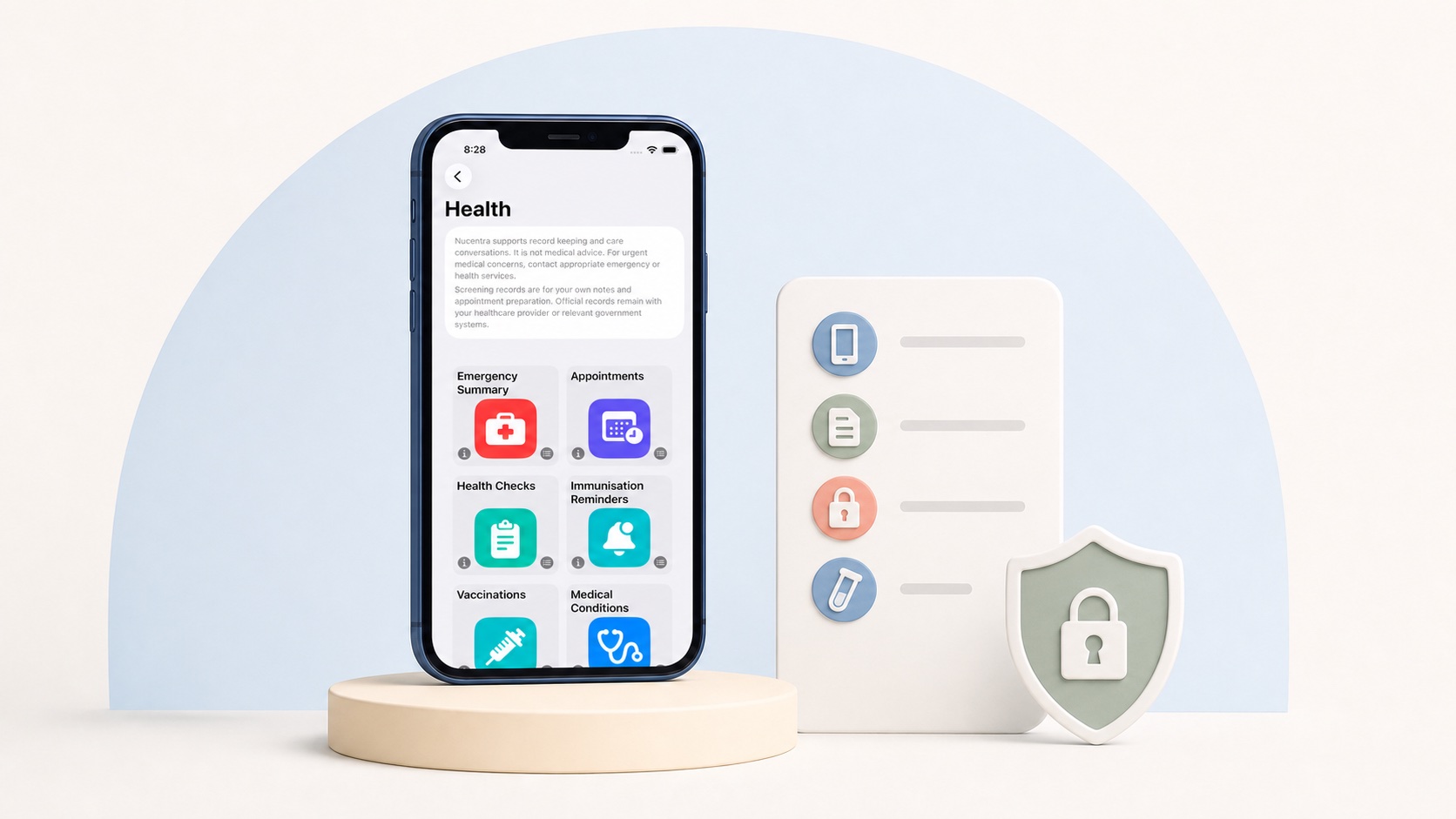
Nucentra is a privacy-first, local-first child health record companion and baby care tracker for iPhone and iPad. In the current version, user-entered records are stored locally on the iPhone or iPad where the app is used.
Nucentra does not currently provide active cloud record sync, family sharing, clinician access or a Nuco Tech backend account for app records. Depending on the Apple device and iCloud Backup settings, normal device backups may include Nucentra app data. That backup behaviour is different from Nucentra providing live record sync or family sharing.
Review the current Nucentra Privacy Policy for the detailed explanation of app records, support information, technical data, service providers, retention and user choices. You can also learn how Nucentra works today. If Nucentra suits your needs, you can find Nucentra on the App Store.
Related reading
For the broader reason to think about privacy when recording family care information, read Why Privacy Matters in Family Care Tracking.
Sources
- Office of the Australian Information Commissioner — What is health information? (date not stated; accessed 2 August 2026).
- Office of the Australian Information Commissioner — What is personal information? (date not stated; accessed 2 August 2026).
- Office of the Australian Information Commissioner — Collection of personal information (date not stated; accessed 2 August 2026).
- Apple Support — About privacy information on the App Store and the choices you have to control your data (published 3 October 2024; accessed 2 August 2026).
- Apple Support — Control access to information in apps on iPhone (date not stated; accessed 2 August 2026).
- Apple Support — About App Privacy Report (published 29 December 2025; accessed 2 August 2026).
- Apple Support — What does iCloud back up? (published 13 May 2025; accessed 2 August 2026).
- Nuco Tech — Nucentra Privacy Policy (last updated 16 July 2026; accessed 2 August 2026).
- Nuco Tech — Nucentra (date not stated; accessed 2 August 2026).
This article uses Australian health sources. If you live outside Australia, check advice from your local health authority or healthcare professional.